
 EN
EN


In today's automated industrial environments, workers spend countless hours monitoring complex equipment displays, data streams, and control panels. This constant visual engagement with multiple screens creates significant physical strain, leading to neck pain, eye fatigue, and reduced productivity. The ergonomic challenges faced by operators managing automated systems require specialized solutions that address both comfort and functionality. Monitor arms have emerged as essential tools for creating healthier workspaces while maintaining operational efficiency in automated equipment management scenarios.
Understanding Ergonomic Challenges in Automated Equipment Management
Physical Strain from Static Positioning
Workers operating automated equipment often maintain fixed positions for extended periods while monitoring multiple display screens simultaneously. This static positioning creates muscle tension throughout the neck, shoulders, and upper back regions. Traditional monitor setups force operators to crane their necks upward or downward to view screens at suboptimal angles, resulting in cervical spine compression and muscular imbalances. The repetitive nature of automated processes means workers cannot frequently change positions, intensifying the physical burden on their musculoskeletal system.
The consequences of poor positioning extend beyond immediate discomfort, often developing into chronic conditions that affect worker performance and long-term health. Research indicates that awkward neck positions increase the risk of developing cervical radiculopathy and tension headaches. When workers must constantly adjust their posture to accommodate poorly positioned monitors, they expend unnecessary energy that could otherwise be directed toward productive tasks. This inefficient use of physical resources directly impacts their ability to maintain focus during critical monitoring activities.
Visual Fatigue and Eye Strain Issues
Automated equipment monitoring requires intense visual concentration as workers track multiple data points, alarm systems, and process indicators across various screens. Improper monitor positioning forces the eyes to work harder to maintain focus, leading to digital eye strain and reduced visual acuity over time. When screens are positioned too far away, workers strain to read small text and detailed graphics. Conversely, monitors placed too close create excessive eye movement and accommodation stress as the visual system struggles to process information at inappropriate distances.
The lighting conditions in industrial environments often compound these visual challenges, creating glare and reflection issues on improperly positioned monitors. Workers frequently squint or shield their eyes when screens reflect overhead lighting or windows, further increasing facial muscle tension and contributing to overall fatigue. Monitor arms provide the flexibility needed to position displays at optimal distances and angles, reducing visual stress and maintaining worker alertness throughout extended monitoring sessions.
How Monitor Arms Address Fatigue Through Ergonomic Design
Optimal Screen Height and Angle Adjustment
Professional monitor arms enable precise positioning of displays to align with natural sight lines, eliminating the need for workers to bend their necks or strain their eyes. The ideal monitor height places the top of the screen at or slightly below eye level, allowing the operator to look straight ahead or slightly downward with minimal neck flexion. This positioning maintains the cervical spine in its natural curve, reducing pressure on intervertebral discs and preventing muscle fatigue in the neck and shoulder regions.
Adjustable monitor arms accommodate workers of different heights and seating preferences, ensuring each operator can achieve optimal viewing angles regardless of their physical characteristics. The ability to tilt screens forward or backward helps eliminate glare while maintaining comfortable viewing angles. This customization capability is particularly valuable in industrial settings where multiple shifts of workers with varying physical dimensions must operate the same equipment efficiently.
Distance Control for Visual Comfort
Proper monitor distance is crucial for reducing eye strain and maintaining visual clarity during extended monitoring tasks. Monitor arms allow precise adjustment of screen distance, typically positioning displays between 20 to 26 inches from the operator's eyes for optimal viewing comfort. This distance range allows the eye's focusing muscles to relax while maintaining sufficient detail resolution for critical monitoring activities. Workers can easily adjust screen distance throughout their shifts to accommodate changing visual demands or personal comfort preferences.
The flexibility provided by monitor arms becomes particularly valuable when workers must switch between detailed inspection tasks and broader system monitoring activities. Close inspection work may require bringing screens closer temporarily, while overall system monitoring benefits from increased distance for better peripheral awareness. This adaptability helps maintain visual comfort across diverse operational requirements, preventing the eye strain that occurs when workers are forced to accommodate static screen positions.
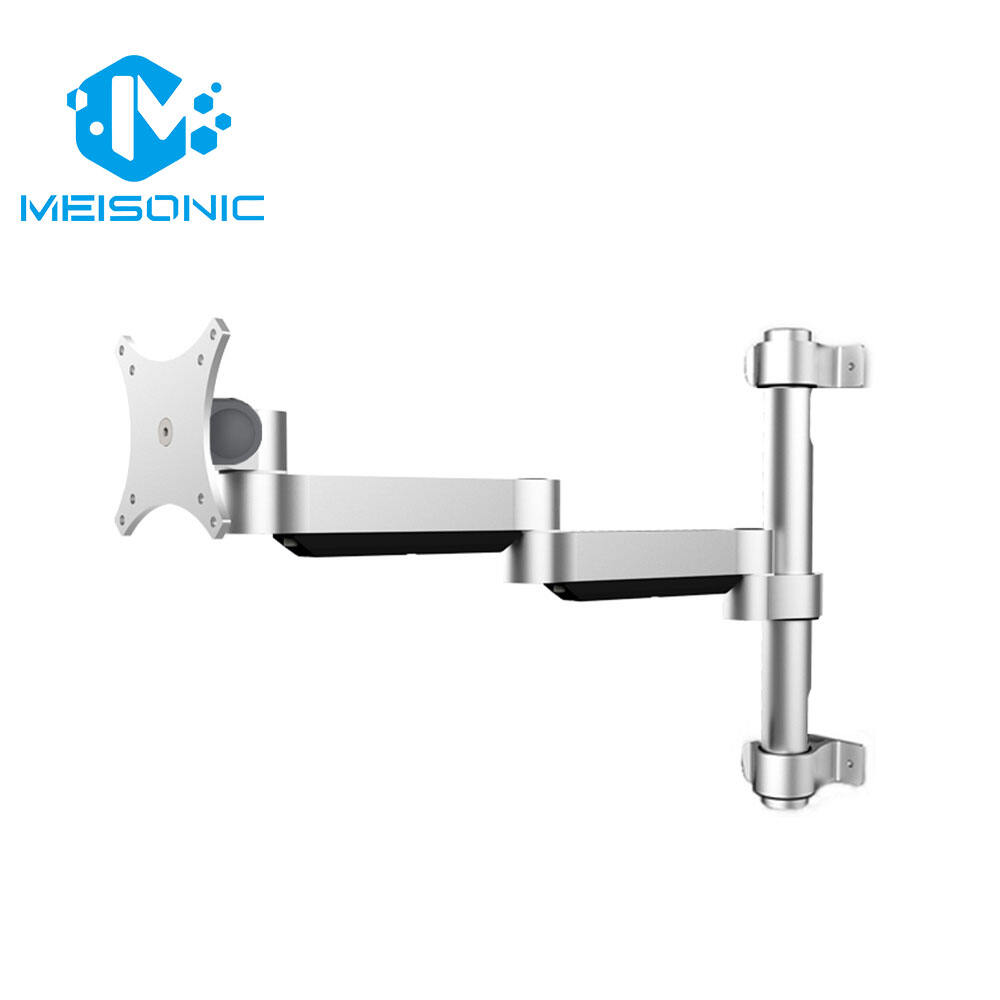
Multi-Monitor Setup Benefits for Automated Systems
Enhanced Workflow Efficiency
Automated equipment management typically requires simultaneous monitoring of multiple data streams, control interfaces, and diagnostic displays. Monitor arms facilitate efficient multi-screen configurations that reduce the physical movement required to access different information sources. Instead of turning their heads dramatically or repositioning their entire bodies to view separate monitors, workers can arrange screens in comfortable arcs that maintain natural neck positioning while providing comprehensive system visibility.
The ability to create customized monitor arrays using professional mounting systems allows operators to group related information logically, reducing cognitive load and decision-making time. Primary control monitors can be positioned centrally within the direct line of sight, while secondary diagnostic screens are placed at comfortable viewing angles within the peripheral vision range. This strategic arrangement minimizes the head movement required to process information from multiple sources, reducing neck fatigue and improving response times during critical operations.
Reduced Physical Movement Requirements
Traditional desk-mounted monitors often require workers to physically lean, twist, or stretch to access information displayed on different screens. These repetitive movements create cumulative stress on the spine and surrounding musculature, leading to discomfort and decreased productivity over time. Monitor arms eliminate many of these unnecessary movements by bringing displays into optimal positions within the worker's natural reach and vision zones.
The articulating joints in quality monitor arms allow smooth repositioning of screens without requiring significant physical effort from operators. Workers can quickly adjust monitor positions to accommodate different tasks or viewing preferences without leaving their seats or disrupting their primary focus on equipment monitoring. This ease of adjustment encourages regular position changes that help prevent static muscle fatigue while maintaining operational efficiency.
Industrial-Grade Monitor Arm Features
Durability and Stability Requirements
Industrial environments demand monitor arms that can withstand vibration, temperature fluctuations, and potential impact from moving equipment or materials. Professional-grade monitor arms incorporate reinforced joints, corrosion-resistant materials, and robust locking mechanisms that maintain precise positioning even in challenging operational conditions. The mounting systems must provide unwavering stability to prevent screen movement that could distract operators or interfere with critical monitoring tasks.
Quality monitor arms designed for industrial applications feature heavy-duty construction that supports multiple large displays without sagging or drift over time. The internal mechanisms resist wear from frequent adjustments while maintaining smooth operation throughout their service life. This reliability is essential in automated environments where equipment downtime for maintenance or replacement can result in significant productivity losses and safety concerns.
Cable Management and Safety Features
Effective cable management integrated into monitor arms prevents wire clutter that can create tripping hazards or interfere with equipment operation. Professional mounting systems incorporate channels, clips, and guides that route power and data cables safely away from moving parts and operator work areas. This organization not only enhances workplace safety but also simplifies maintenance tasks and equipment upgrades by keeping connections accessible and clearly identified.
Safety features in industrial monitor arms include fail-safe locking mechanisms that prevent accidental adjustment during critical operations, emergency release systems for rapid equipment access, and compliance with relevant safety standards for electrical and mechanical components. These features ensure that ergonomic improvements do not compromise operational safety or regulatory compliance in industrial settings where worker protection is paramount.
Implementation Strategies for Maximum Benefit
Workspace Assessment and Planning
Successful monitor arm implementation begins with comprehensive evaluation of existing workstations, operator tasks, and equipment layouts. This assessment identifies specific ergonomic challenges, space constraints, and functional requirements that will influence mounting system selection and configuration. Understanding how workers currently interact with displays and control interfaces reveals opportunities for improvement that monitor arms can address most effectively.
Planning should consider the range of worker heights, seating arrangements, and task variations that occur throughout different shifts and operational modes. This information guides the selection of monitor arms with appropriate adjustment ranges and mounting options. Proper planning also addresses integration with existing furniture, equipment clearances, and maintenance access requirements to ensure installations enhance rather than complicate workplace functionality.
Training and Adjustment Protocols
Workers require proper training to maximize the ergonomic benefits that monitor arms provide through correct adjustment and usage techniques. Training programs should demonstrate optimal viewing distances, screen angles, and height settings while explaining the health benefits of proper positioning. Workers need to understand how to make adjustments safely without disrupting critical monitoring activities or damaging equipment connections.
Ongoing adjustment protocols help maintain ergonomic benefits as workers become familiar with their equipment and identify preferences for different tasks or operating conditions. Regular ergonomic assessments can identify adjustment needs and ensure that monitor arms continue providing optimal support for worker health and productivity. These protocols should include documentation of preferred settings for different operators and tasks to facilitate quick setup changes when needed.
Measuring Fatigue Reduction and Productivity Gains
Quantitative Health Metrics
Organizations can measure the effectiveness of monitor arms through various health and productivity metrics that demonstrate tangible benefits for both workers and operations. Tracking reductions in reported neck pain, eye strain, and headaches provides direct evidence of improved ergonomic conditions. Worker compensation claims related to repetitive strain injuries often decrease following proper monitor arm implementation, providing measurable cost savings for employers.
Productivity measurements can include task completion times, error rates, and sustained attention periods during monitoring activities. Workers using properly positioned monitors typically maintain focus for longer periods without requiring breaks, leading to improved operational continuity. These quantitative improvements justify the investment in ergonomic equipment while demonstrating commitment to worker health and safety.
Long-term Workplace Benefits
The long-term benefits of monitor arms extend beyond immediate fatigue reduction to include improved job satisfaction, reduced turnover, and enhanced operational reliability. Workers who experience less physical discomfort demonstrate higher engagement levels and greater willingness to maintain vigilant monitoring of automated systems. This improved engagement translates to better detection of equipment anomalies and faster response to operational changes.
Monitor arms contribute to creating more attractive work environments that help organizations recruit and retain skilled operators for critical automated systems. The visible commitment to ergonomic improvements signals that employers value worker health and are willing to invest in tools that enhance both comfort and performance. This positive workplace culture often leads to additional productivity improvements beyond the direct ergonomic benefits of better monitor positioning.
FAQ
What height should monitors be positioned to reduce neck strain?
The top of your monitor screen should be positioned at or slightly below eye level when you're sitting upright in your chair. This positioning allows you to look straight ahead or slightly downward at a 10-15 degree angle, which maintains your neck in a neutral position and reduces strain on cervical muscles. Monitor arms make it easy to achieve this optimal height regardless of your desk configuration or seating arrangement.
How far should monitors be from operators in industrial settings?
For optimal visual comfort and clarity, monitors should typically be positioned 20-26 inches away from the operator's eyes. This distance allows your eye muscles to relax while maintaining sufficient detail resolution for monitoring tasks. Monitor arms provide the flexibility to adjust this distance based on screen size, task requirements, and individual visual preferences, ensuring each worker can find their optimal viewing distance.
Can monitor arms support multiple heavy industrial displays?
Yes, industrial-grade monitor arms are specifically designed to support multiple heavy displays commonly used in automated equipment monitoring. These robust mounting systems can typically handle screens ranging from 24 to 32 inches or larger, with weight capacities often exceeding 20 pounds per monitor. The key is selecting monitor arms with appropriate weight ratings and mounting configurations for your specific display requirements.
How do monitor arms improve productivity in automated operations?
Monitor arms improve productivity by reducing the physical movements required to access information across multiple displays, minimizing fatigue that can impair concentration, and allowing workers to maintain optimal viewing positions throughout their shifts. This ergonomic optimization leads to faster response times, reduced errors, and sustained attention levels during critical monitoring activities, ultimately enhancing overall operational efficiency and safety.
Table of Contents
- Understanding Ergonomic Challenges in Automated Equipment Management
- How Monitor Arms Address Fatigue Through Ergonomic Design
- Multi-Monitor Setup Benefits for Automated Systems
- Industrial-Grade Monitor Arm Features
- Implementation Strategies for Maximum Benefit
- Measuring Fatigue Reduction and Productivity Gains
- FAQ