 EN
EN


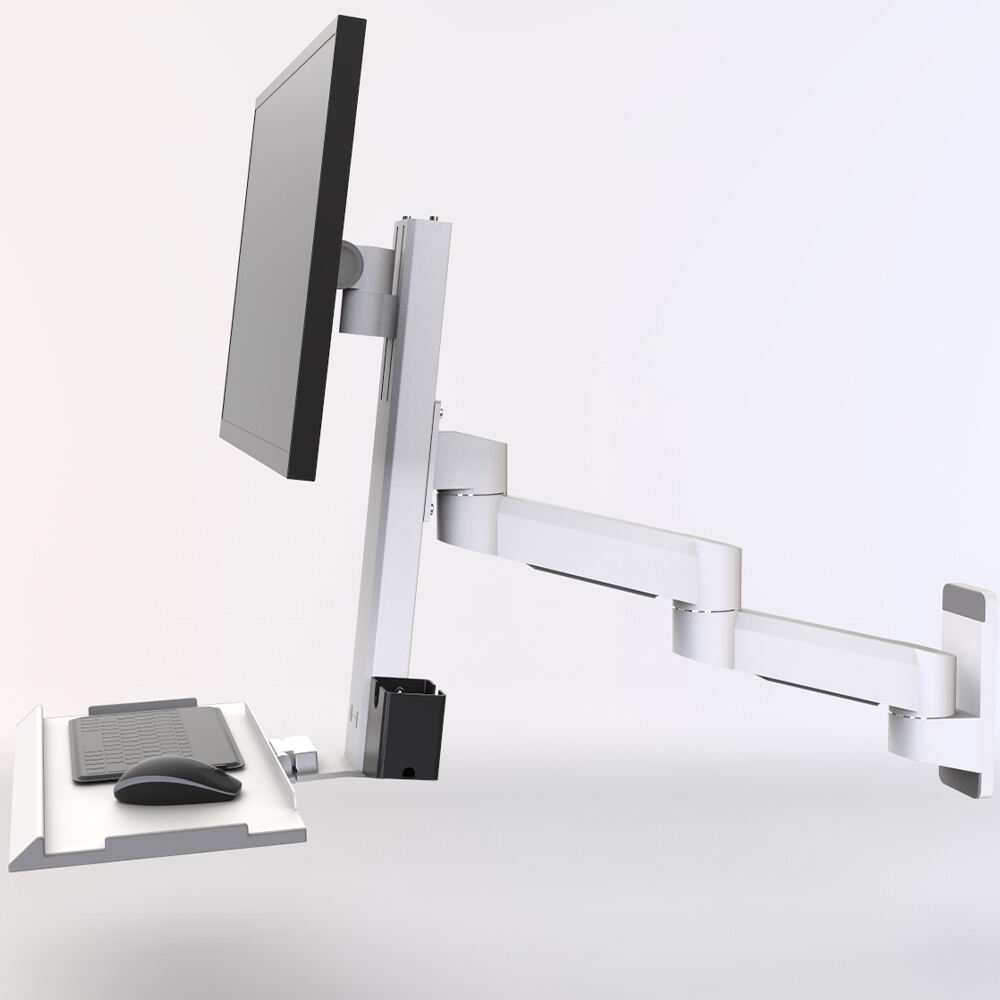
Factory automation integrators face unique challenges when selecting monitor mount solutions for industrial environments. These professionals must consider factors that extend far beyond basic mounting functionality, including durability requirements, space optimization, operator ergonomics, and integration capabilities with existing automation systems. Understanding what automation integrators prioritize helps manufacturers and facility managers make informed decisions about their display mounting infrastructure.
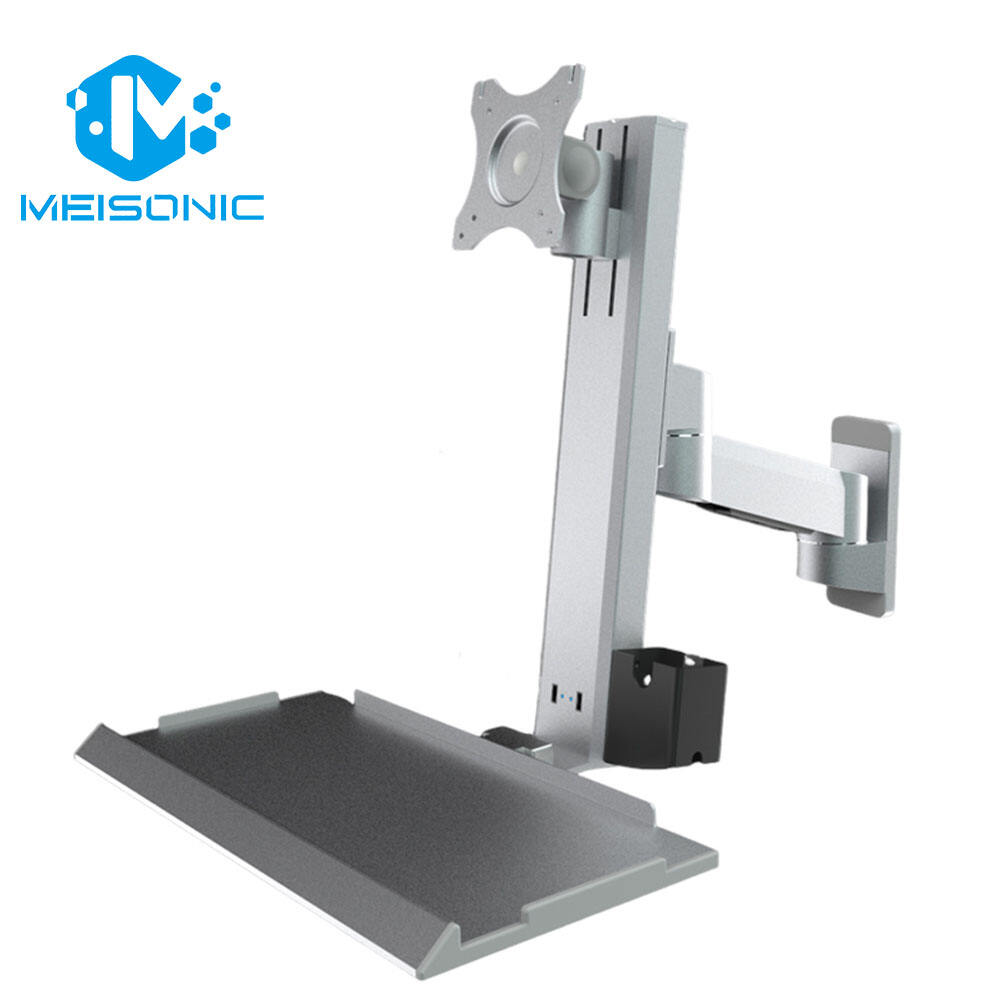
The selection criteria for monitor mount solutions in automation environments differ significantly from standard office applications. Integrators evaluate mounting systems based on their ability to withstand harsh industrial conditions while maintaining precise positioning capabilities throughout extended operational periods. The mounting solution must support the sophisticated control interfaces and monitoring displays that are critical to modern automated manufacturing processes.
Durability and Environmental Resistance Requirements
Industrial Grade Materials and Construction
Automation integrators prioritize monitor mount solutions constructed from high-grade materials that can withstand the demanding conditions of manufacturing environments. Steel and aluminum alloys with appropriate surface treatments are essential for resisting corrosion, chemical exposure, and mechanical stress. The mounting hardware must maintain structural integrity under continuous vibration from nearby machinery and equipment.
Surface finishes play a crucial role in the longevity of monitor mount solutions in industrial settings. Powder coating, anodizing, or specialized protective treatments help prevent degradation from exposure to cleaning chemicals, moisture, and temperature fluctuations. Integrators specifically evaluate the coating quality and thickness to ensure long-term performance without maintenance requirements.
Joint mechanisms and adjustment points receive particular attention from automation professionals. These components must maintain smooth operation and precise positioning capabilities even after thousands of adjustment cycles. High-quality bearings, bushings, and locking mechanisms are essential features that integrators assess when evaluating monitor mount solutions for automation applications.
Environmental Protection Standards
IP rating compliance represents a critical evaluation criterion for automation integrators selecting monitor mount solutions. The mounting system must provide adequate protection against dust ingress and moisture penetration that could compromise the connected display equipment. Many automation environments require IP54 or higher protection levels to ensure reliable operation.
Temperature tolerance specifications directly impact the suitability of monitor mount solutions for specific automation applications. Integrators evaluate the operating temperature range to ensure compatibility with their facility's environmental conditions, including areas near heat-generating equipment or temperature-controlled processes. The mounting system must maintain dimensional stability and mechanical properties across the required temperature spectrum.
Chemical resistance properties become particularly important in automation facilities that handle corrosive substances or use aggressive cleaning protocols. Monitor mount solutions must resist degradation from exposure to industrial solvents, acids, bases, and sanitizing agents commonly used in manufacturing environments. This resistance ensures continued safe operation and reduces replacement costs.
Ergonomic Design and Operator Interface Considerations
Adjustability and Positioning Flexibility
Automation integrators recognize that optimal operator performance depends heavily on proper display positioning and viewing angles. Monitor mount solutions must provide sufficient adjustability to accommodate different operator heights, workstation configurations, and viewing requirements. Multi-axis adjustment capabilities allow fine-tuning of display position for maximum visibility and reduced operator fatigue.
Height adjustment mechanisms in monitor mount solutions need to support smooth, controlled movement while maintaining precise positioning under load. Integrators evaluate whether the mounting system can accommodate the full range of operator heights typically encountered in manufacturing environments. Gas spring assistance or counterbalance mechanisms help operators easily adjust display position without excessive physical effort.
Tilt and rotation capabilities enable operators to optimize screen viewing angles for different tasks and lighting conditions. Monitor mount solutions with smooth adjustment mechanisms allow operators to quickly reconfigure their workspace without interrupting production workflows. The adjustment range must accommodate both seated and standing work positions common in automation environments.
Workspace Integration and Accessibility
Effective monitor mount solutions in automation environments must integrate seamlessly with existing workstation layouts and equipment arrangements. Integrators evaluate how mounting systems affect operator access to controls, maintenance points, and emergency shutdown devices. The mounting solution should enhance rather than hinder the overall workspace functionality and safety compliance.
Cable management capabilities represent an important consideration for automation integrators selecting monitor mount solutions. Integrated cable routing features help maintain organized connections between displays and control systems while protecting cables from damage due to movement or environmental exposure. Proper cable management also facilitates maintenance and troubleshooting activities.
Clearance requirements around the mounted display affect both operator comfort and equipment accessibility. Monitor mount solutions must provide adequate space for operator movement while ensuring that maintenance personnel can access nearby equipment and control panels. The mounting design should not create interference with other automation components or safety systems.
Load Capacity and Mounting Compatibility Specifications
Weight Support and Stability Requirements
Automation integrators carefully evaluate the load capacity specifications of monitor mount solutions to ensure compatibility with their target display equipment. Industrial displays often weigh significantly more than standard office monitors due to ruggedized construction and protective features. The mounting system must provide adequate safety margins beyond the nominal display weight to account for dynamic loading and long-term reliability.
Stability characteristics become particularly important when monitor mount solutions support large displays or multiple monitors in automation environments. The mounting base and arm structure must resist oscillation and movement that could distract operators or interfere with precision tasks. Integrators assess both static and dynamic stability under various loading conditions and adjustment positions.
Deflection limits under maximum load represent a key performance criterion for monitor mount solutions in automation applications. Excessive deflection can affect display viewing angles and operator comfort, particularly during extended work sessions. The mounting system structure must maintain rigid positioning even when supporting displays at full extension or in challenging orientations.
VESA Compatibility and Connection Standards
VESA mounting pattern compatibility ensures that monitor mount solutions can accommodate a wide range of display models and manufacturers. Automation integrators prefer mounting systems that support multiple VESA standards to provide flexibility in display selection and future upgrades. Universal mounting plates or adjustable VESA adapters expand the compatibility range of the mounting solution.
Connection hardware quality directly impacts the security and reliability of the display attachment in monitor mount solutions. Integrators evaluate the grade and specifications of mounting bolts, washers, and spacers to ensure they meet industrial standards for strength and corrosion resistance. Proper hardware selection prevents loosening due to vibration and ensures long-term mounting integrity.
Interface design considerations affect the ease of display installation and removal for maintenance or replacement activities. Monitor mount solutions with tool-free or quick-release mechanisms allow faster servicing while maintaining security during normal operation. The connection interface should accommodate displays with different mounting depth requirements and cable connection orientations.
Integration Capabilities with Automation Systems
Modular Design and Expandability Features
Modern automation environments often require monitor mount solutions that can adapt to changing operational needs and system expansions. Integrators value modular mounting systems that allow addition of components such as keyboard trays, CPU holders, or secondary displays without requiring complete replacement. This modularity reduces long-term costs and minimizes disruption during system modifications.
Standardized mounting interfaces enable monitor mount solutions to integrate with various automation equipment and workstation components. Common connection points and mounting patterns facilitate integration with HMI panels, industrial PCs, and control enclosures. Standardization also simplifies spare parts inventory and maintenance procedures across multiple installations.
Expansion capabilities allow monitor mount solutions to grow with evolving automation requirements. The mounting system should accommodate additional displays, input devices, or specialized equipment without compromising stability or operator ergonomics. Forward compatibility ensures that the mounting investment remains valuable as automation systems advance and expand.
Safety and Compliance Integration
Safety compliance represents a fundamental requirement for monitor mount solutions in automation environments. Integrators must ensure that mounting systems meet relevant industrial safety standards and regulations for their specific applications and geographic locations. Proper certification and documentation support compliance audits and insurance requirements.
Emergency access considerations affect the design and positioning of monitor mount solutions in automation facilities. The mounting system must not obstruct emergency stops, safety interlocks, or evacuation routes. Quick-release or breakaway features may be necessary in certain applications to ensure operator safety during emergency conditions.
Grounding and electrical safety features become important when monitor mount solutions support powered displays and input devices. Proper electrical continuity and grounding paths help prevent static buildup and ensure safe operation in environments with sensitive electronic equipment. Integrators evaluate these features as part of their overall electrical safety assessment.
FAQ
What load capacity should I consider when selecting monitor mount solutions for automation applications?
Industrial displays typically weigh 15-50 pounds depending on size and ruggedization level. Select monitor mount solutions with at least 50% safety margin above your display weight. Consider dynamic loading from vibration and movement, and evaluate both static and articulating weight limits. Most automation applications require mounting systems rated for 25-75 pounds depending on display size and configuration requirements.
How do environmental conditions affect monitor mount solutions selection in manufacturing facilities?
Manufacturing environments expose monitor mount solutions to vibration, temperature extremes, moisture, dust, and chemical exposure. Look for IP54 or higher protection ratings, corrosion-resistant materials, and temperature ranges matching your facility conditions. Powder coating or anodized finishes provide better durability than paint. Consider the cleaning chemicals used in your facility when evaluating material compatibility.
What ergonomic features are most important in automation workstation monitor mount solutions?
Height adjustability of 6-12 inches accommodates different operator heights and sitting/standing positions. Tilt range of +15/-15 degrees allows optimization for various viewing angles and lighting conditions. Smooth adjustment mechanisms with gas spring assist reduce operator effort. Consider clearance around controls and the ability to position displays for multiple operators if workstations are shared between shifts.
How do I ensure monitor mount solutions integrate properly with existing automation equipment?
Evaluate mounting base compatibility with your workstation structure and available mounting points. Check VESA pattern compatibility with your display models and consider universal adapters for flexibility. Assess cable management features to maintain organized connections with your control systems. Ensure the mounting system does not interfere with access to controls, maintenance points, or safety devices in your automation environment.
Table of Contents
- Durability and Environmental Resistance Requirements
- Ergonomic Design and Operator Interface Considerations
- Load Capacity and Mounting Compatibility Specifications
- Integration Capabilities with Automation Systems
-
FAQ
- What load capacity should I consider when selecting monitor mount solutions for automation applications?
- How do environmental conditions affect monitor mount solutions selection in manufacturing facilities?
- What ergonomic features are most important in automation workstation monitor mount solutions?
- How do I ensure monitor mount solutions integrate properly with existing automation equipment?